

Save a Cohort
Save cohorts as a key group for later use.
Access requirements
Permission with these capabilities: Change Analysis Context
Reach out to your administrator for access.
-
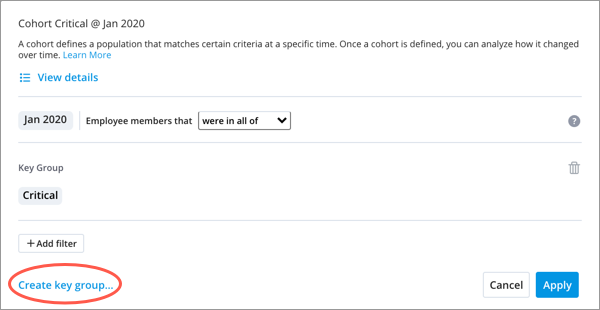
Click Create key group in the lower-left corner of the Cohort dialog.
Note:
- You can edit your cohort in the Key Group Manager.
- If your cohort definition contains a key group, the key group will be broken down into individual filters when the cohort is saved.
- For more information about editing and sharing your cohort, see Create a Key Group and Share Groups and Key Groups.
- Groups and key groups cannot be created or used in projects.