

Review Permission Details
Inspect what data access, capabilities, and content packages a permission grants, and see which users and user groups it is assigned to.
Access requirements
Custom profiles with one of the following capability sets:
- Security (Read, Simple) and User Management (Read, Simple)
- Permission Management (Read, Simple) and User Management (Read, Simple)
Reach out to your administrator for access.
Overview
Each permission contains data security configurations, capability settings, and content packages, and can be assigned to multiple users and user groups.
The Permissions room allows you to inspect permission configurations, troubleshoot access issues, or evaluate the impact of changes before modifying or deleting a permission. Use it to answer questions such as:
-
Which users and user groups are affected if this permission is modified or removed?
-
Does this permission grant enough data access for a metric to be visible?
-
Which analytic capabilities does this permission grant?
Caution: This view provides visibility into how a permission is configured. Preview a user’s access in the solution to confirm that their security configuration behaves as expected. For more information, see Preview the Solution as a User.
View permission details
-
In a project, on the navigation bar, click Security > Permissions.
-
In the Permissions list, click the permission you want to view.
-
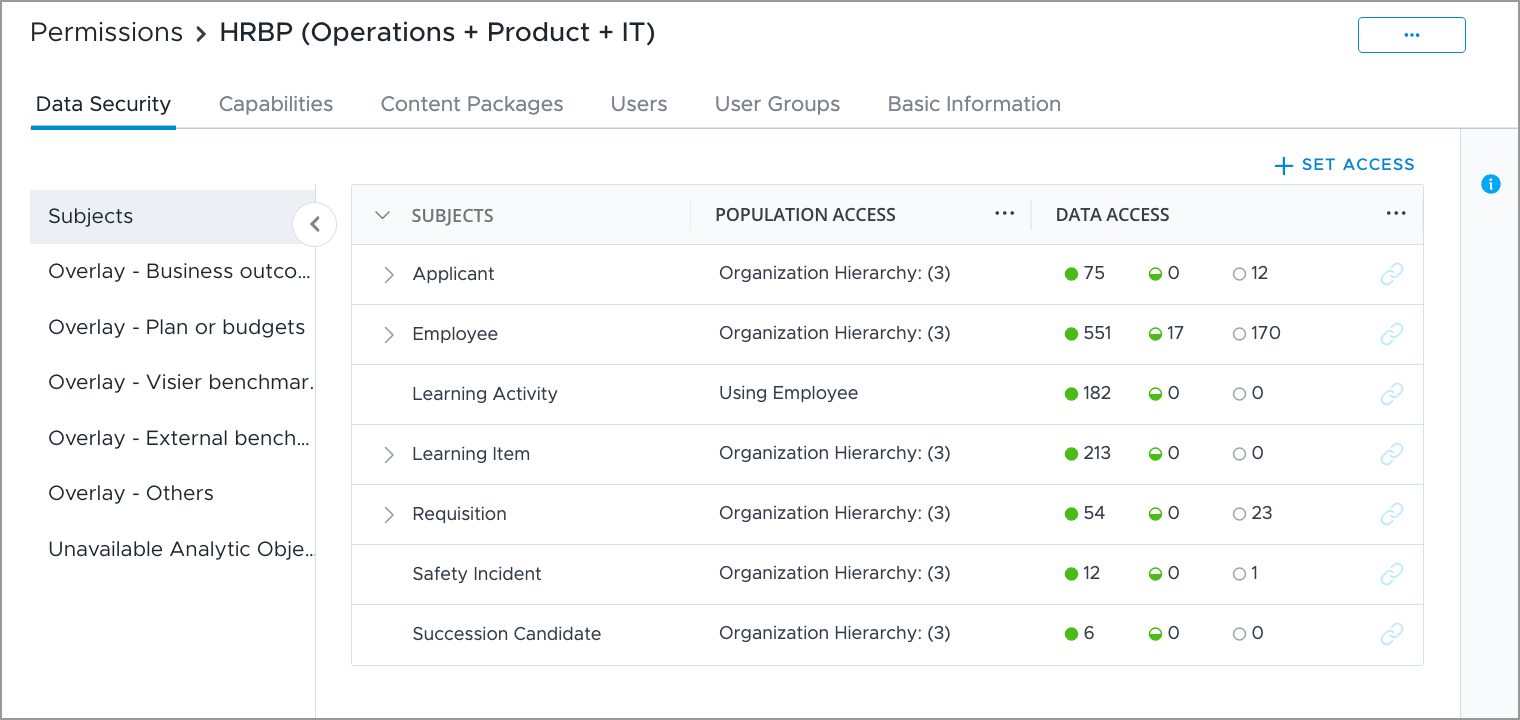
Select from the following tabs to review permission details:
-
Data Security: The items the permission grants access to, grouped by content type: subjects, overlays, internal comparisons, sources, data categories, and targets. For more information, see Data Security.
-
Capabilities: The actions users with this permission can perform in the solution experience. For more information, see Capabilities List.
-
Content Packages: The assigned content packages and a consolidated view of all content, such as analyses, guidebooks, and metrics. Click an item to view its content visibility and data access requirements. For more information, see View content package details for a permission.
-
Users: The users assigned this permission. Click a user to view details such as their assigned permissions and profiles.
-
User Groups: The user groups assigned this permission. Click a user group to view details such as its members and other assigned permissions.
-
-
Click Permissions in the upper-left of the page to return to the Permissions list.
View content package details for a permission
Content packages control what analyses, metrics, dimensions, and key groups users with this permission can see in the solution. For more information, see Content Packages.
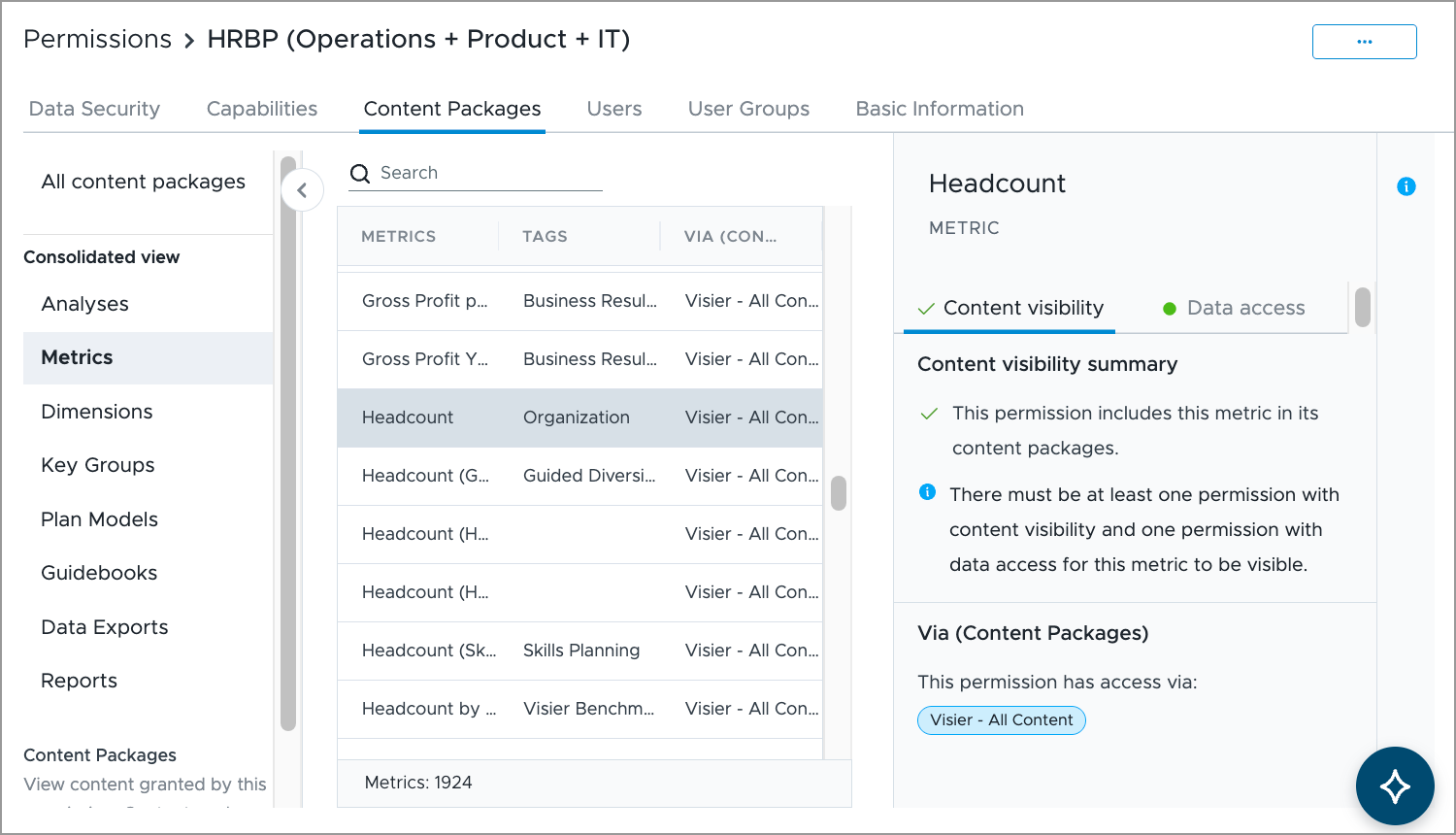
- In the Content Packages tab, under Consolidated view, click on a content type, for example Metrics.
- In the Metrics list, click a metric, such as Headcount, to view permission details.
- In the Permission details panel, select a tab to inspect details:
- Content visibility: Shows whether the permission includes the item in its content packages, and identifies which content packages grant access to it.
- Data access: Shows the access levels for all required properties and the population access.
Next steps
Depending on what you find, you may need to update the permission configuration or its assignments:
- To edit the permission’s data security, capabilities, or content packages, see Create a Permission.
- To change which users have the permission, see Assign Permissions to a User.
- To change which user groups have the permission, see Set the User Group Permissions.
- To review the combined access of a user or user group across all their permissions, see View User Security.